Stylized Cartoon Bushes: A Practical Guide to Clean Cuts and Creative Application
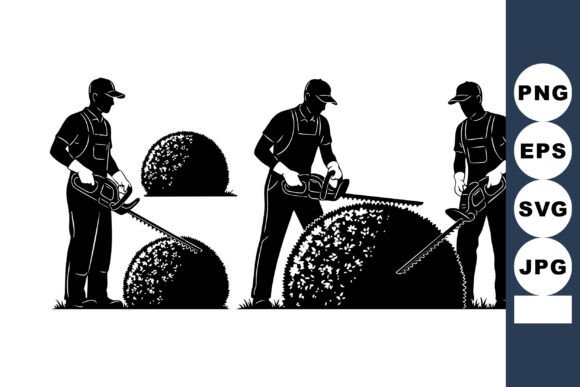
Elevating your creative projects often comes down to selecting foundational elements that add character without overwhelming the composition. Stylized cartoon bushes serve this exact purpose, offering a whimsical yet structured organic shape that bridges the gap between realistic nature and playful illustration. Unlike complex botanical illustrations that can frustrate cutting machines or clutter a small design space, these simplified vector forms provide clean lines and immediate visual recognition. Whether you are designing merchandise for an online store or creating personalized home decor, understanding how to properly utilize this specific aesthetic is crucial for achieving professional results.
The appeal of stylized foliage lies in its versatility. It acts as a grounding element for typography, a border for circular designs, or a standalone motif for nature-themed apparel. However, many crafters and designers overlook the technical nuances of working with cartoon-style vectors. The difference between a polished final product and a wasted sheet of vinyl often depends on how well you understand the file structure, material compatibility, and scaling limitations before you hit "send" to your cutter.
Common Pitfalls When Working with Cartoon Vector Foliage
One of the most frequent mistakes creators make when downloading digital cut files is assuming all vector formats behave identically across different software platforms. While this Stylized Cartoon Bushes design includes both SVG and EPS formats, using the wrong one for your specific workflow can lead to unnecessary editing time. Beginners often default to EPS files because they associate them with professional design, only to find that their Silhouette Basic Edition cannot open them without upgrading. Conversely, professional illustrators sometimes try to import SVGs into Adobe Illustrator and encounter grouped layers that require tedious ungrouping. Always match the file format to your primary software: use SVG for Cricut Design Space, Silhouette Designer Edition, and Brother CanvasWorkspace; reserve EPS for CorelDRAW, Inkscape, or Adobe Illustrator to maintain editable anchor points.
Another significant oversight involves ignoring the relationship between line weight and cutting material. Stylized cartoon bushes are designed with clean, high-quality vector lines, but "clean" does not always mean "thick." If you plan to cut this design from glitter cardstock or flocked heat transfer vinyl, the intricate inner details of a stylized leaf may tear during weeding. Many users fail to test their material tolerance first, resulting in jagged edges that ruin the cartoon aesthetic. Before committing to a full production run, perform a test cut at a reduced size. If the fine details fail to release cleanly, consider simplifying the design by welding overlapping shapes or switching to a smoother material like matte HTV or adhesive vinyl that handles detail better.
Scaling and Proportion Errors in Digital Designs
Vector graphics are theoretically infinitely scalable, but practical application has limits. A common error occurs when creators stretch stylized bushes disproportionately to fit a specific layout, such as wrapping a decal around a curved tumbler or filling a rectangular tote bag. Distorting the aspect ratio of a cartoon bush makes it look unnatural and amateurish, defeating the purpose of using a professionally designed asset. Instead of stretching, utilize the modular nature of the design. Duplicate the bush element, rotate copies, and arrange them to fill the space organically. This approach maintains the integrity of the original artwork while allowing you to customize the density and flow of the foliage to suit any canvas size.
Furthermore, neglecting to check the node count after resizing can impact machine performance. While this design features optimized paths, extreme enlargement can sometimes reveal artifacts or cause older cutting machines to stutter. If you notice your blade pausing or making jerky movements during a cut, the issue may be path complexity rather than blade dullness. Running a "simplify" or "optimize" function within your cutting software can smooth out these micro-imperfections without altering the visible shape, ensuring crisp results every time.
Strategic Material Selection for Whimsical Nature Graphics
The stylized nature of these bushes dictates specific material choices that differ from realistic floral designs. Because cartoon aesthetics rely on bold shapes and solid colors, gradient vinyls or busy patterned papers can visually break up the form, making the bush look messy rather than lush. For apparel like t-shirts and hoodies, solid-color heat transfer vinyl provides the necessary contrast to make the stylized shape pop against the fabric. If you desire dimension, layer two or three solid colors rather than relying on a single printed material. This technique enhances the cartoon style and improves durability, as layered vinyl tends to withstand washing better than printed HTV.
For hard surface applications like mugs, tumblers, and car windows, consider the longevity of the adhesive. A frequent point of dissatisfaction arises when crafters use standard indoor vinyl for items that will be washed or exposed to weather. Stylized bushes are perfect for outdoor signage and vehicle decals, but only if paired with permanent, weather-resistant vinyl. Using removable vinyl on a car window or a dishwasher-safe mug will inevitably lead to peeling and customer complaints. Always verify the adhesive rating matches the intended environment. For drinkware specifically, ensure the design placement avoids the lip area and high-heat zones to preserve both the safety of the user and the integrity of the decal.
Optimizing Workflow for Commercial and Personal Use
Efficiency matters whether you are crafting for fun or running a small business. One overlooked strategy is organizing your digital library immediately upon download. Rather than leaving the Stylized Cartoon Bushes file in a generic "Downloads" folder, move it to a dedicated asset library with clear tagging. Include notes on which format works best for which machine and any material tests you have already performed. This prevents the frustration of re-testing materials months later or accidentally purchasing a duplicate file because you couldn't locate the original.
When selling finished products featuring this design, presentation is just as important as execution. Photographing items with stylized cartoon elements requires styling that complements the playful tone. Placing a whimsical bush decal on a stark, industrial background may create visual dissonance. Instead, style your product photos with soft lighting and complementary props that reinforce the nature theme. This contextual framing helps potential buyers visualize the item in their own lives and validates the quality of your craftsmanship. Remember that customers are buying the finished experience, not just the vector file; your application and photography bridge that gap.
Finally, respect the licensing and usage terms associated with digital assets. While this design is ideal for creating physical products to sell, it is rarely permissible to resell the digital file itself or include it in a competing digital bundle. Understanding these boundaries protects your business reputation and supports the designers who create these essential resources. By combining technical precision with ethical usage and thoughtful material selection, stylized cartoon bushes become more than just a clipart element; they transform into a reliable component of your creative toolkit that delivers consistent, high-quality outcomes across every project.