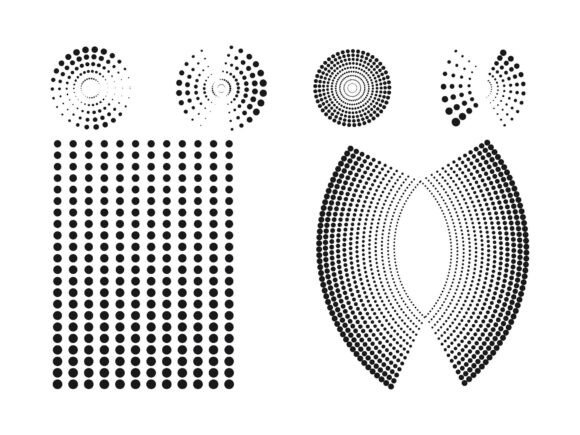
Evaluating Halftone Vector Graphic 02: Technical Fit and Workflow Integration
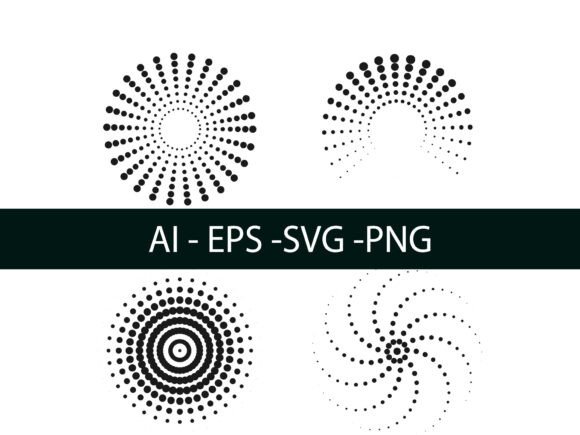
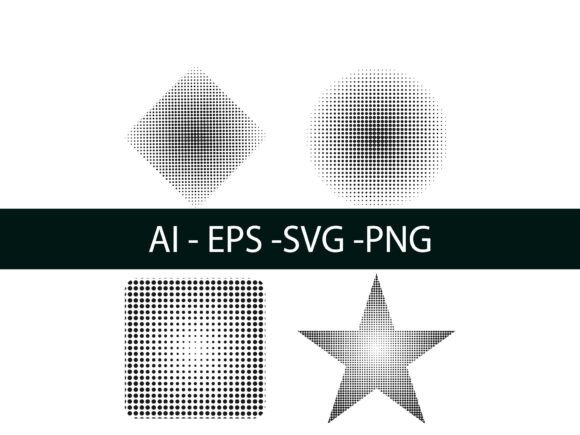
Halftone Vector Graphic 02 represents a specific category of pre-constructed vector assets designed to bridge the gap between retro print aesthetics and modern digital scalability. Unlike rasterized textures that degrade when resized, this resource provides a mathematically defined halftone pattern that remains crisp at any dimension. For designers and art directors evaluating texture resources, understanding the distinct technical nature of this asset is crucial for determining whether it aligns with current project requirements or if alternative methods would yield better results.
The primary distinction of Halftone Vector Graphic 02 lies in its construction as a true vector object rather than a pixel-based overlay. While many halftone resources are distributed as high-resolution PNGs or JPEGs, this graphic utilizes anchor points and paths to define the dot structure. This fundamental difference impacts everything from file size to editability. When comparing this asset against standard raster textures, the vector format offers superior flexibility for large-format printing and responsive web design, though it may introduce higher processing overhead in complex compositions compared to a simple image placement.
Technical Construction and Format Versatility
The utility of Halftone Vector Graphic 02 is largely defined by its multi-format delivery system. The inclusion of AI, EPS, SVG, and PNG files ensures compatibility across diverse software ecosystems, but each format serves a distinct strategic purpose during the evaluation phase.
- AI and EPS: These native and exchange formats preserve full editability. They are essential for users who need to modify the halftone angle, adjust dot density, or recolor the pattern using global swatches. If your workflow requires customization beyond simple scaling, these are the mandatory formats.
- SVG: Scalable Vector Graphics are critical for web and UI applications. Unlike proprietary formats, SVG allows the halftone effect to be implemented directly in code or web design tools like Figma without rasterization. This format maintains the infinite scalability of the vector data while remaining lightweight for browser rendering.
- PNG: While the vector formats offer editability, the included PNG serves as a rapid prototyping tool. It allows stakeholders to visualize the texture in context before committing to the heavier vector workflow. However, for final production, relying solely on the PNG negates the primary benefits of choosing a vector asset.
When assessing this resource, consider the end destination of your design. If the output is strictly digital and static, the SVG or PNG may suffice. However, for packaging, apparel, or environmental graphics where scale varies unpredictably, the AI/EPS sources provide necessary insurance against pixelation.
Comparing Pre-Made Assets Against Native Illustrator Effects
A common decision point for professionals is whether to utilize a dedicated asset like Halftone Vector Graphic 02 or to generate similar effects natively within Adobe Illustrator. Both approaches have valid use cases, and the choice often depends on the balance between speed and precision.
Native Generation Methods
Adobe Illustrator offers several pathways for creating halftones from scratch. Understanding these helps contextualize the value of a pre-made vector graphic:
- Effects > Pixelate > Color Halftone: This is the most direct method for converting raster images or gradients into halftone patterns. It is dynamic and non-destructive, allowing for real-time adjustments to max radius and channel angles. However, it remains a live effect until expanded, which can cause performance lag in complex files. Furthermore, the resulting dots are often perfectly circular and uniform, lacking the organic variation found in specialized vector assets.
- Pattern Swatches: Creating a custom halftone pattern swatch allows for seamless tiling and global updates. This approach is ideal for backgrounds where consistency is paramount. The tradeoff is the initial time investment required to build a seamless tile and the difficulty in editing the pattern once applied to irregular shapes.
- Scatter Brushes: For organic or grunge-style halftones, scatter brushes distribute dot objects along a path. This mimics traditional screen printing imperfections better than mathematical filters. Yet, managing brush spacing and rotation settings can be tedious, and expanding these brushes for print production often results in thousands of individual anchor points.
Where Halftone Vector Graphic 02 Fits
Halftone Vector Graphic 02 occupies a middle ground between these native techniques. It offers the curated aesthetic of a hand-tuned scatter brush or pattern swatch without the setup time. Compared to the Color Halftone effect, it typically provides a more stylized, intentional look that avoids the "default filter" appearance. For designers who need a specific vintage or industrial texture immediately, this asset eliminates the trial-and-error phase of dialing in native parameters.
However, if you require a halftone that reacts dynamically to underlying grayscale values (variable dot size based on luminance), a static vector graphic cannot replicate this functionality. In such cases, native effects or specialized plugins remain superior. Halftone Vector Graphic 02 is best evaluated as a stylistic overlay or a compositional element rather than a functional image conversion tool.
Workflow Integration and Editability Tradeoffs
Selecting a vector halftone resource involves accepting certain workflow tradeoffs. While vectors are celebrated for scalability, they interact differently with design software than raster textures.
Performance Considerations: Complex vector halftones consist of hundreds or thousands of individual circle objects. When Halftone Vector Graphic 02 is placed into a layout, it increases the object count significantly. On older machines or in files already heavy with typography and gradients, this can lead to slower redraw times. In contrast, a rasterized halftone is a single object with minimal processing overhead. Users working on tight deadlines with hardware limitations should test the asset’s performance early in the exploration phase.
Customization Depth: The ability to edit Halftone Vector Graphic 02 depends entirely on retaining its vector properties. Once the asset is rasterized for export or compatibility, it loses its advantage over standard texture packs. Professionals must ensure their output pipeline supports vector preservation. For example, exporting a brochure as a flattened PDF will negate the benefits of having sourced a vector file initially. The asset is most valuable in workflows where the final output remains vector-native, such as cut vinyl, screen printing films, or scalable web graphics.
Decision Factors: When to Choose This Resource
Evaluating Halftone Vector Graphic 02 requires an honest assessment of project constraints. The following scenarios highlight where this asset typically delivers the highest return on investment versus when alternatives are preferable.
Ideal Use Cases
- Branding and Identity Systems: When a halftone texture needs to be part of a brand toolkit, vector format is non-negotiable. Halftone Vector Graphic 02 can be recolored to match brand palettes precisely and scaled for everything from business cards to billboards without maintaining multiple resolution versions.
- Screen Printing and Apparel: Print production requires clean, separable artwork. Vector halftones allow for easy color separation and choke/spread adjustments that are difficult with raster edges. The crisp geometry of this asset translates reliably to mesh screens.
- Retro and Vintage Styling: If the design goal is a specific mid-century or pop-art aesthetic, pre-made vector graphics often capture the nuance of era-specific printing better than algorithmic generators. This asset serves as a shortcut to achieving authentic visual language.
Situations Requiring Alternatives
- Photographic Tonal Reproduction: If the goal is to convert a photograph into a printable halftone image, this static graphic is not the solution. Native Color Halftone effects or RIP software are required for tonal mapping.
- High-Frequency Web Backgrounds: While SVG is scalable, extremely dense vector patterns can cause browser repaint issues on mobile devices. For full-screen website backgrounds, a CSS-generated pattern or an optimized, tiled raster image may offer better performance metrics.
- One-Off Social Media Posts: For quick, low-stakes content where resolution demands are fixed and low, the overhead of managing vector layers may outweigh the benefits. A high-quality PNG texture might be more efficient for rapid iteration.
Final Evaluation Criteria
Ultimately, the decision to integrate Halftone Vector Graphic 02 into your resource library should be based on long-term utility rather than immediate novelty. Evaluate the asset against your typical output specifications. Does your work frequently require resizing? Do you need to match specific spot colors? Is your team proficient in manipulating vector anchor points?
If flexibility and print fidelity are priorities, the vector architecture of this graphic justifies its selection over raster alternatives. The availability of AI, EPS, SVG, and PNG formats covers the spectrum from deep editing to quick visualization, making it a versatile component for mixed-media workflows. However, maintain awareness of its limitations regarding dynamic tonal response and system performance. By weighing these technical realities against creative needs, designers can make informed choices that enhance both efficiency and output quality.